File Organisation
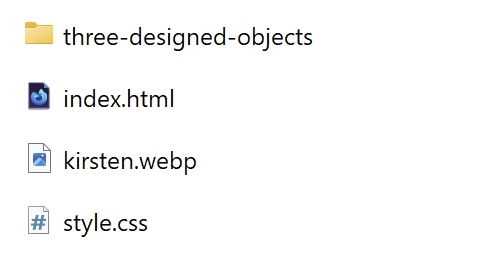
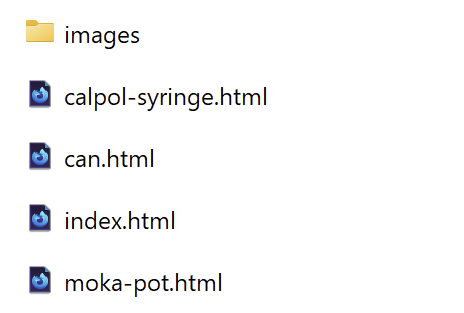
This week I have learned about the importance of file organisation. Through practice of putting together a 4 page website, I have discovered just how quickly files can mount up and so keeping these files organised and correctly named from the start is crucial.
I have also realised just how useful it is to use descriptive file names for images, such as ‘can-in-hand’, rather than ‘can3’ and ‘can2’. It keeps my procces flowing as i dont have to keep opening files to check which one is which.
HTML Basics
I have further built upon my knowledge of HTML this week, through practice and research. I built my first multi-page site to display my ‘well designed objects’ content, as well as producing a practice site whilst going through the ‘HTML Essential Training’ on linkedIn.
Shortcuts
Through this practice, I stumbled upon a few shortcuts within my code editor which i found particularly helpful. These include ‘!/’ to input the basic HTML structure to speed up the inital set up. As well as lorum/ to input placeholder text. This can be useful when just getting the structure outlined, however I will use it sparingly as i now understand the importants of the content out approach.
Relative Linking
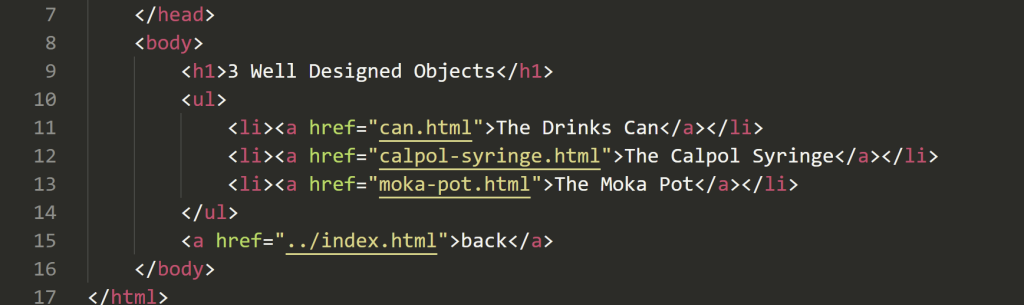
Whilst setting up my 4 page website, I went through a lot of trial and error creating the links to each page as well as inputing each image. I now feel pretty confident with this process and, as long as my files are correctly structured, can implement the anchor element fairly easily. I found the ‘HTML & CSS’ book by Jon Duckett a particularly helpful resource for this.
CSS
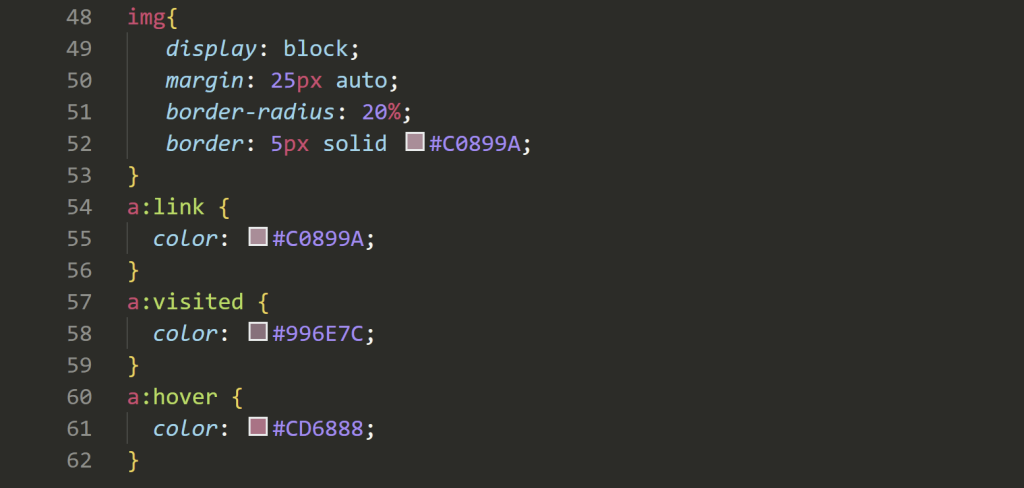
I wanted to get a little more practice in with CSS this week, so played around with my homepage to understand it a bit more. With an eye for design, this is what intrigues me the most, yet it is also what i know almost nothing about so far. I used the ‘fancy border radius’ tool to gather a better understanding on border radius’ before altering my image. Then I used the MDN resources to learn the basics. I learnt to use the border tool to create a border around my image, and altered the colours of my links based on their current state.
Another tool i made use of for the design aspect of my website, was the coolors tool for creating a colour scheme and getting inspiration.